SuperHote
How to authenticate the integration
We'll use a test app, Acme AI, to show how an end-user can authenticate the integration between SuperHote and Acme AI.
Go to Settings > Integrations section within Acme AI app.
Among the list of Integrations, click on SuperHote's logo and you will be redirected to the Authentication Screen as shown below.
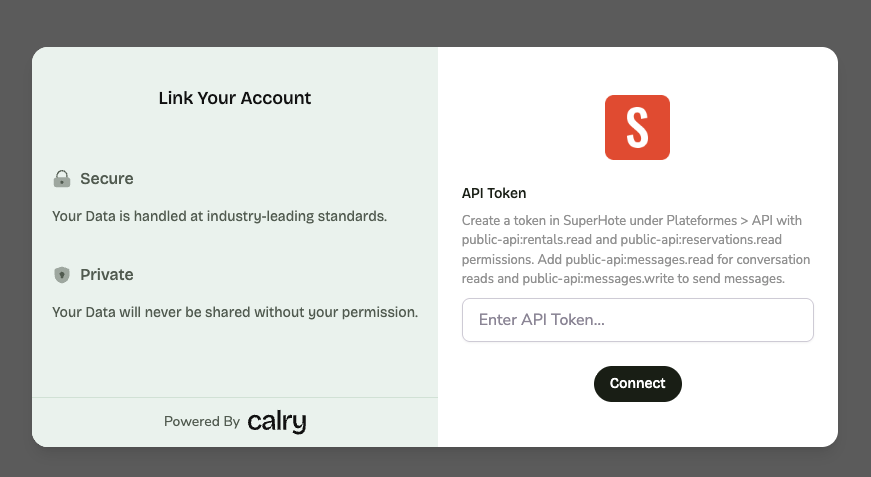
Now switch over to your SuperHote account in a new tab. In the left sidebar, go to Platforms and Integrations > SuperHote V2 API. Click on 'Create API key'.
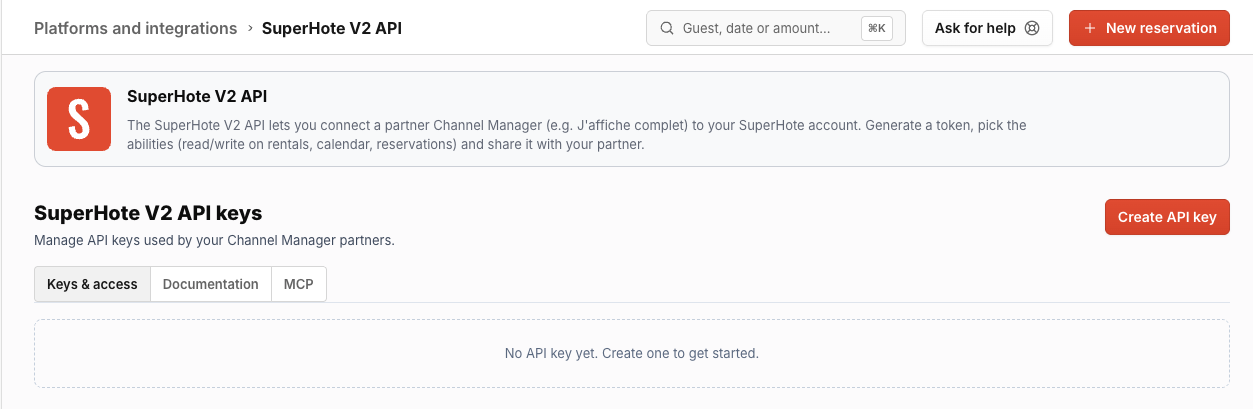
Make sure to grant at least the following permissions:
public-api:rentals.readpublic-api:reservations.readpublic-api:messages.read(if you need conversation reads)public-api:messages.write(if you need to send messages)public-api:webhooks.manage(if you need real-time webhooks)
Copy the generated API key.
Paste it back on your Authentication Screen (from Point 2) and Click on 'Connect'. You will see a message box that shows you've successfully authenticated the integration. You will be redirected back to Acme app now.
How to set up Real-time webhooks
Go to the SuperHote account's section within Calry ('Accounts > SuperHote account > Webhooks'). Type in the name, URL where you'd like to receive the webhooks and check off the events you'd like to subscribe to. Click on 'Create'.
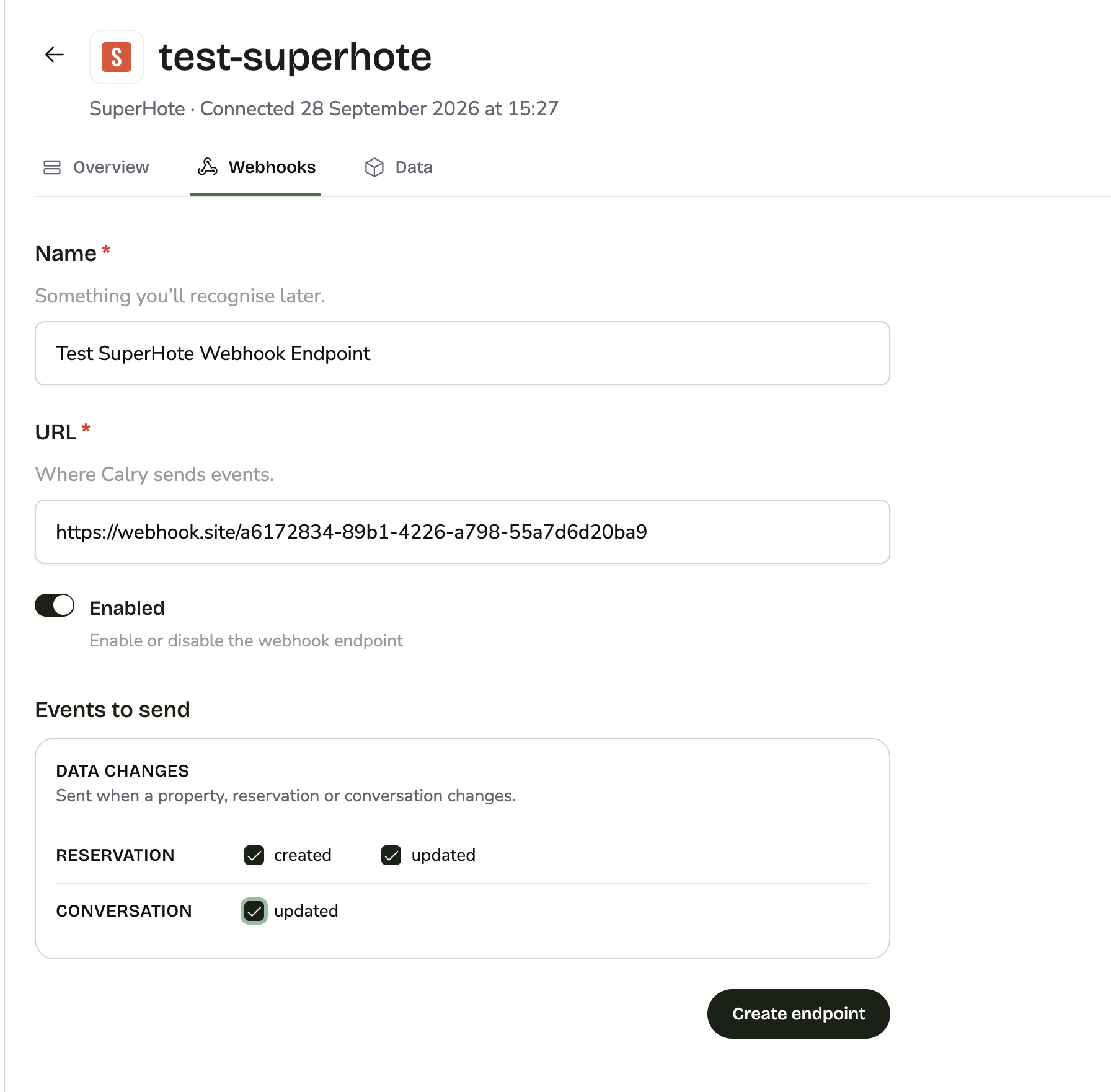
Or if you're already using the Create Webhook API to subscribe to webhooks, create the webhook for the SuperHote account through the API instead.
That's it! Calry registers the webhook in SuperHote automatically using the account's API key. You will start receiving webhooks from this account now.
The following events are supported:
| Calry event | Sent when |
|---|---|
reservation.created | A reservation is created in SuperHote. |
reservation.updated | A reservation is modified or cancelled. Cancellations are sent as reservation.updated with status CANCELLED; reservation.deleted is not sent. |
conversation.updated | A guest sends a message, or the host sends a message from SuperHote. senderType is Guest or Owner respectively. |
Notes:
- Step 1 or 2 has to be done by Acme AI, the company integrated with Calry. The end-customer only needs to grant the
public-api:webhooks.managepermission when creating the API key (see How to authenticate the integration). The API key must stay active while webhooks are in use. - SuperHote signs every delivery, and Calry verifies the signature before forwarding it to you. SuperHote returns the signing secret only once, when the webhook is created, and Calry stores it. To change or remove the webhook, update or delete it in Calry; updating it re-registers the webhook in SuperHote.
- Webhooks can be delivered more than once, so make your handler idempotent:
- A retried delivery keeps the same
hook.id. Skip events whosehook.idyou have already processed. - SuperHote can also send the same message twice as separate deliveries, each with a different
hook.id. Forconversation.updated, deduplicate on the messageidinrecord.messagesinstead.
- A retried delivery keeps the same
- SuperHote allows at most 10 webhooks per account.
If you have any questions or need help, don't hesitate to reach out at mail@calry.app.